How to set up cronjob for Icegram Express
To set up cronjob for the WordPress plugin Icegram Express - Email Subscribers, Newsletters and Marketing Automation, follow the instructions below:
- Log in to your WordPress dashboard
- Visit Icegram Express > Settings > Email Sending, copy the Cron URL
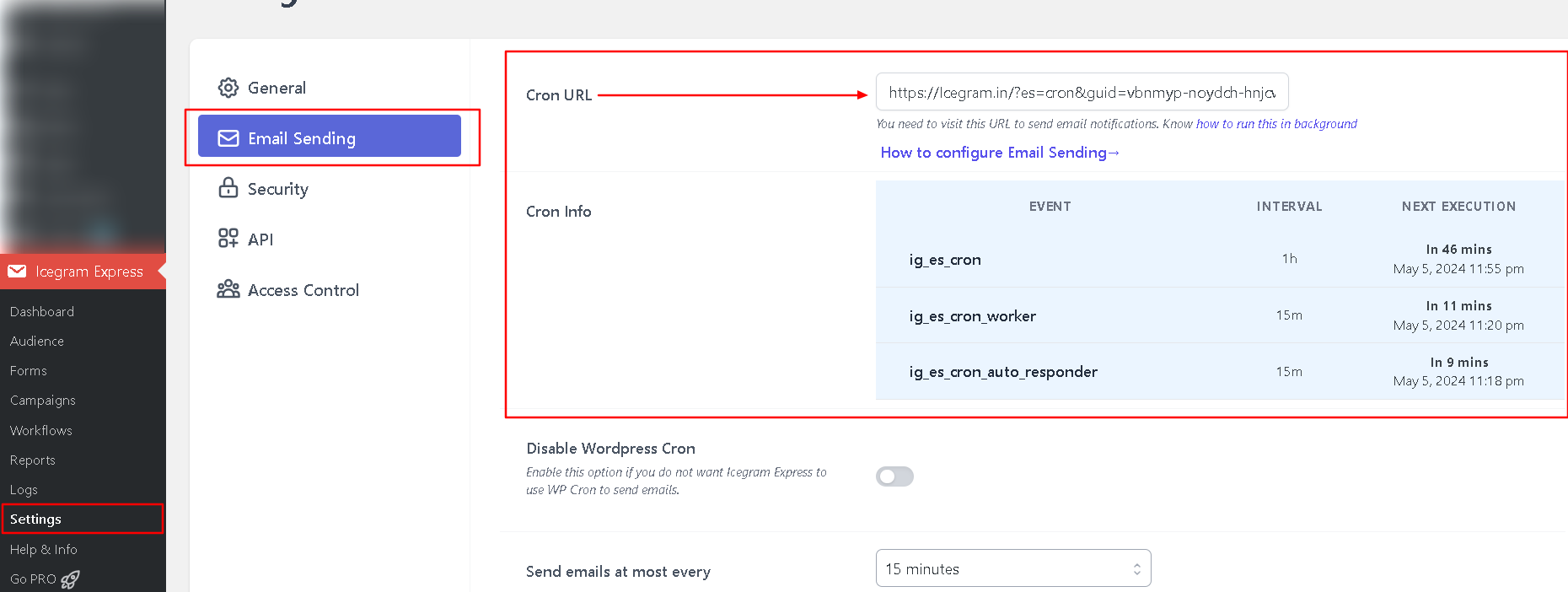
- Log in to your FastCron account
- Click the new Cron Job button
- Paste the Cron URL into the URL to call
https://example.com/?es=cron&guid=scxqdw-qvlbmt-wtcpml-xogplz-stdgub
- Select When to call: Every 5 minutes
- Click Save & run.
And that's it.
FastCron will run your cronjob every 5 minutes for free.
If you have a premium account, you should run it every minute or faster.
Need help? Reach out to support@fastcron.com - we're happy to help.