Whitelist FastCron IP addresses at Cloudflare
If your website uses Cloudflare service, please make sure that Cloudflare does not block FastCron.
To add FastCron's IP addresses to the Cloudflare whitelist, follow this step-by-step:
Create a list of FastCron IPs
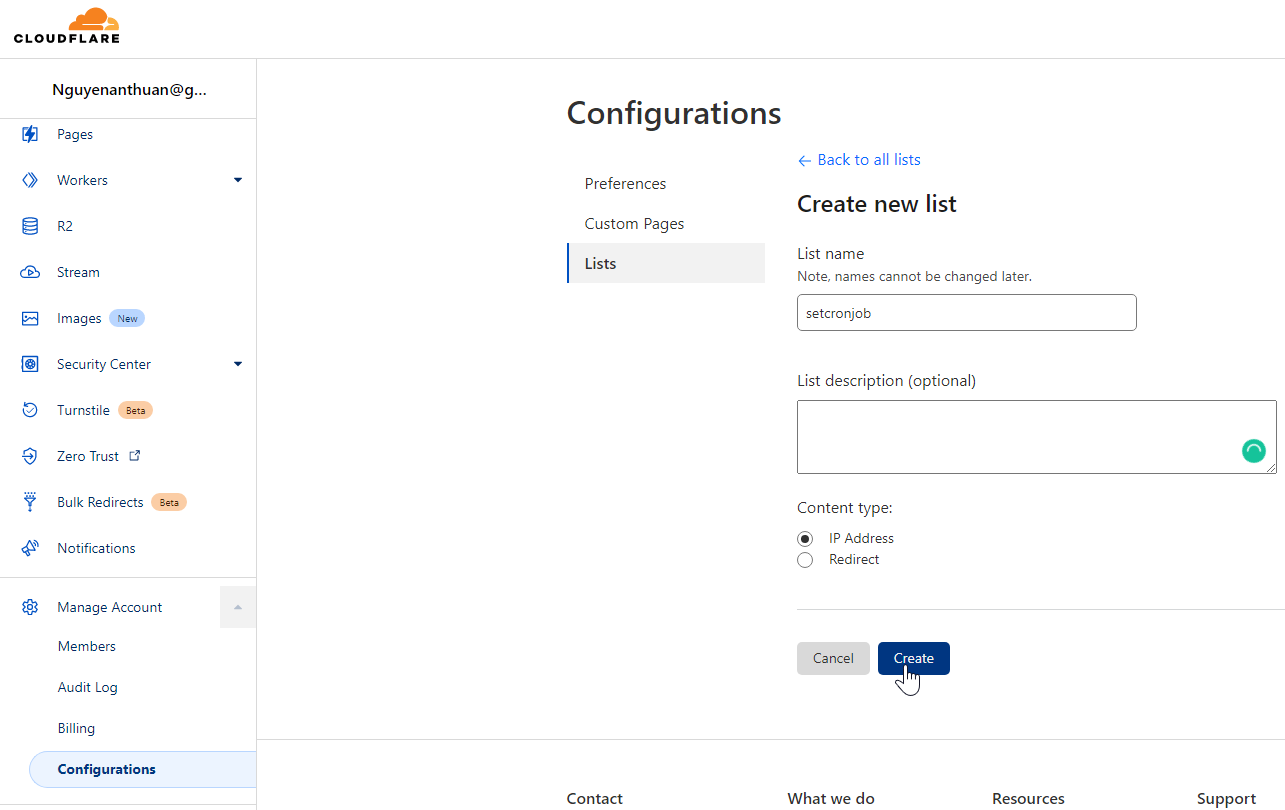
Log in to Cloudflare, visit Manage Account > Configurations > Lists, and create a new list.
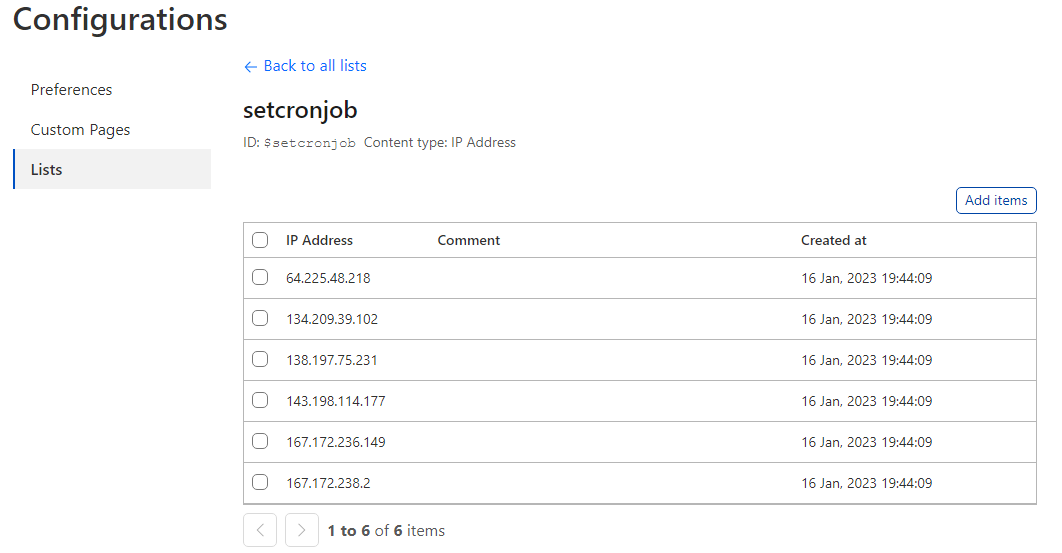
Add our IP addresses to your new list.
Create a firewall rule (WAF)
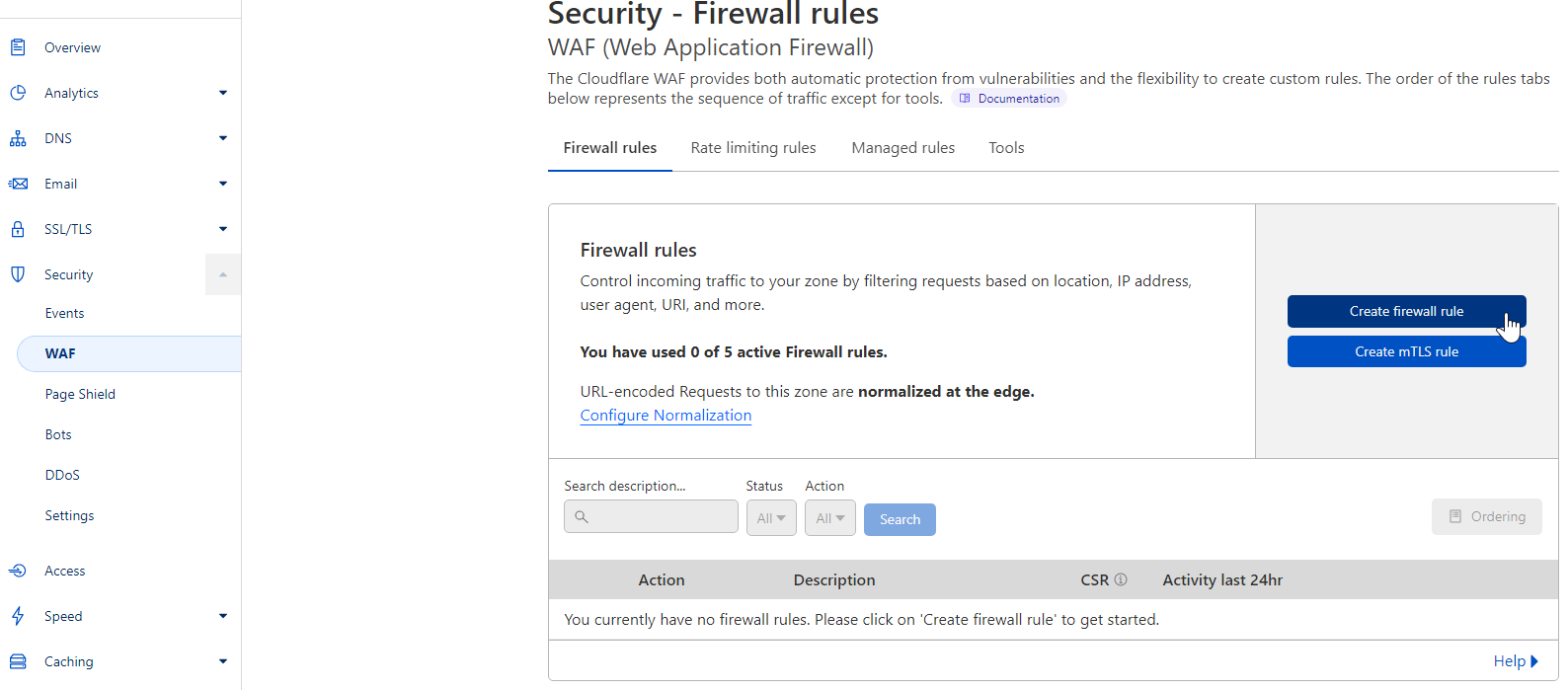
Visit Security > WAF, create a new firewall rule
Create a new rule to bypass all features from all IP source addresses in the previous list.
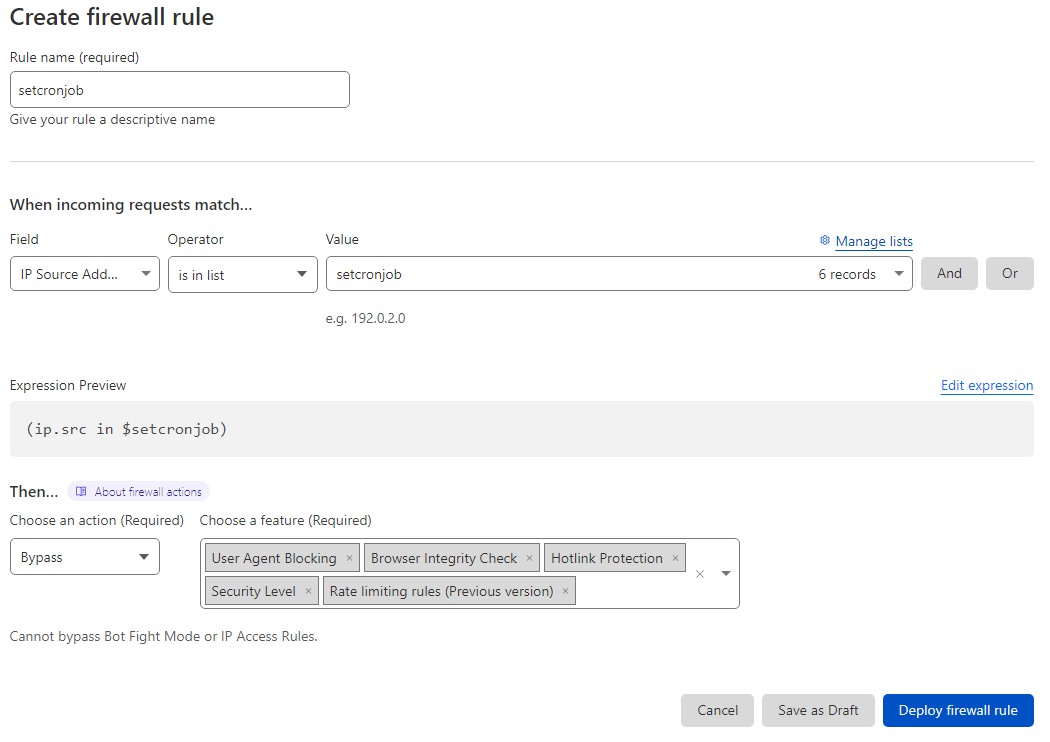
After deploying the firewall rule, FastCron will no longer be blocked by Cloudflare.
Need help? Reach out to support@fastcron.com - we're happy to help.