How to set up cronjob for Abandoned Cart Reminder + Auto email module
If you installed Abandoned cart reminder module for your PrestaShop, you need to set up a cronjob to send reminder emails and emails of marketing campaigns to customers.
Follow this step-by-step to set up a cronjob for free:
- Get your cronjob secure token at the Automation tab
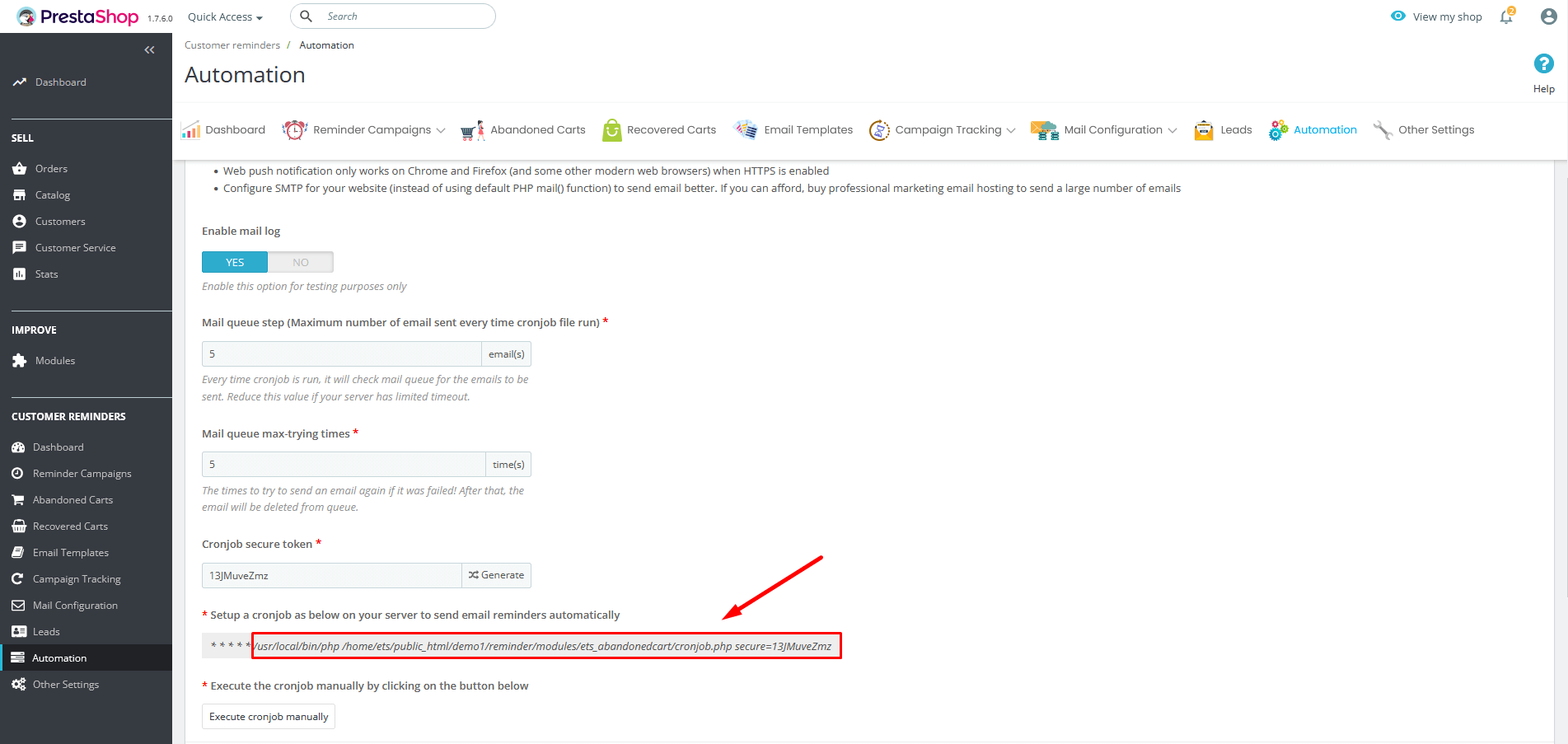
- Log in to FastCron, click the new Cron job button.
- Enter the cronjob URL into URL to call (replace
example.com/shopwith your PrestaShop URL, andSECURE_TOKENwith your secure token).
https://example.com/shop/modules/ets_abandonedcart/cronjob.php?secure=SECURE_TOKEN
- Select When to call: Every 5 minutes, then Save and run your cronjob
And that's it.
FastCron will run your cronjob for free, no monthly login required.
Need help? Reach out to support@fastcron.com - we're happy to help.